general
Live Stream Trading Setup for Beginners: 2026 Guide
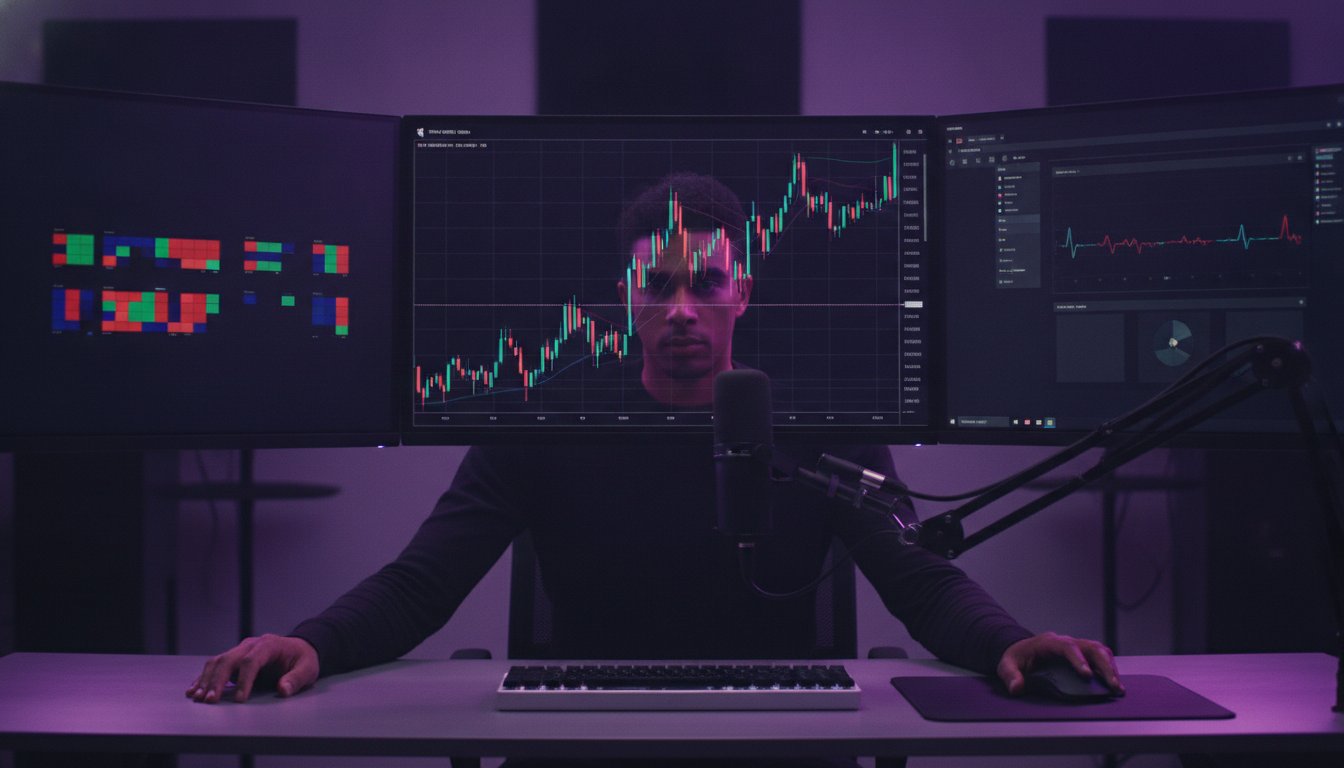
Learn the ultimate live stream trading setup for beginners in 2026. Our guide covers budget gear, OBS settings, and privacy tips for a professional broadcast.
Did you know the financial services sector is the fastest-growing niche in the creator economy, surging by 38% in 2026? It's a massive opportunity to launch a live stream trading setup for beginners, but the technical barrier often feels like a wall. You want a crisp, lag-free broadcast that builds immediate trust, yet the fear of leaking private account balances or fumbling with bitrates keeps many talented traders offline.
This guide is your blueprint to mastering a professional broadcast without the usual headache or high costs. You'll learn how to configure the latest software like OBS Studio 32.2.1 for maximum performance and which gear, like the $47.99 Logitech C920x, delivers a premium look on a budget. We're covering everything from securing your terminal views to leveraging the Tyrian Trade ecosystem for real-time interaction and monetization. It's time to transform your trading desk into a high-octane broadcast studio that commands attention and builds a verified reputation in the markets.
Key Takeaways
Learn how to optimize your hardware to run professional broadcast software alongside high-speed market data without dropping frames.
Master the ideal live stream trading setup for beginners by deploying a three-monitor configuration that separates execution from engagement.
Establish "Privacy Safe Zones" within your software to mask sensitive account balances and personal data during live sessions.
Build a verified track record using integrated terminal tools to command respect from institutional-grade market participants.
Discover why specialized social trading networks offer a faster path to growth and monetization than generic streaming platforms.
Table of Contents
Why Start a Live Trading Stream in 2026?
Essential Hardware: Building Your Trading Broadcast Station
The Software Stack: OBS, Terminals, and AI Overlays
Step-by-Step Configuration: Security, Scenes, and Interaction
Scaling Your Influence: From Beginner to Verified Creator
Why Start a Live Trading Stream in 2026?
The era of the "black box" trader is over. In 2026, trust is the only asset that scales. While old-school signal groups and opaque chat rooms fade into obscurity, a new generation of market leaders is winning by broadcasting their process in real-time. Starting a live stream trading setup for beginners isn't just about sharing a screen; it's about building a digital footprint that institutional players and professional communities actually respect. Transparency is no longer a choice, it's the primary currency of the modern market.
The Reputation Economy in Modern Finance
Financial influence has undergone a radical shift toward verified participation. High-net-worth followers and institutional scouts no longer settle for curated screenshots of winning trades. They want to see the decision-making process under pressure, the risk management in action, and the mental resilience during a drawdown. By building a trading track record through live participation, you move from being another voice in the noise to a verified market participant. This level of "showing your work" creates a collaborative environment where "blind signals" are replaced by collective observation and shared intelligence.
Monetization Paths for Financial Creators
Your stream is more than an educational tool; it's a launchpad for multiple revenue streams. In 2026, the creator economy is a $20.6 billion revenue pool, and the financial sector is its fastest-growing segment. You don't just earn from traditional ad revenue. You build a sustainable business through targeted infrastructure:
- Community Participation: Direct engagement through a social trading platform that rewards accuracy and reputation.
- Tool Distribution: Selling custom indicators, automated scripts, and analytical utilities in a specialized financial tools marketplace.
- Premium Education: Launching exclusive cohorts or deep-dive courses based on strategies you've proven live.
Beyond the financial rewards, optimizing your live stream trading setup for beginners accelerates your own learning curve. When you explain a trade to an audience, you force yourself to rationalize every entry and exit. This "rubber duck" effect, combined with the real-time feedback from a community of peers, sharpens your edge faster than trading in isolation ever could. You aren't just teaching others; you're hardening your own system in the heat of the live market.
Essential Hardware: Building Your Trading Broadcast Station
You don't need a five-figure institutional rig to start your journey. While some influencers claim a $5,000 PC is the entry price, a functional live stream trading setup for beginners is more about optimization than raw spending. Your hardware has two jobs: running a high-speed trading terminal and encoding a high-definition video feed simultaneously without lag. If your charts stutter, your credibility vanishes. If your stream lags, your audience leaves. Success in 2026 requires a station that balances data processing with broadcast stability.
The PC Specs for 2026 Standards
The "Trading Brain" requires a balance of multi-core processing and high-speed memory. For a smooth experience, aim for at least an 8-core processor and 32GB of RAM. This ensures your terminal handles volatile market data while OBS Studio 32.2.1 manages your broadcast. Use a GPU that supports NVENC or AV1 encoding to offload the video work, keeping your CPU free for trade execution. Additionally, NVMe Gen5 drives are essential for the near-instantaneous data recall required by modern professional trading terminals . This setup prevents the "data bottleneck" that often leads to execution slippage during high-volatility events.
Audio and Visual Entry-Level Gear
Audio quality is actually more important than video. Viewers will tolerate a grainy 1080p face-cam, but they'll mute a stream with echoing audio immediately. A dynamic microphone is often better for home offices as it ignores background noise, though a versatile condenser like the Blue Yeti ($79.96) remains a staple for its clarity. For visuals, the Logitech C920x Pro HD ($47.99) provides a solid 1080p image that looks professional when paired with basic three-point lighting. This rule involves a key light to illuminate your face, a fill light to soften shadows, and a back light to separate you from the background.
- The Three-Monitor Strategy: Use one screen for your primary charts, one for your stream management (OBS and chat), and a third for your order entry and news feeds. This "sweet spot" configuration prevents accidental data leaks.
- Hardwired Connectivity: Never stream over Wi-Fi. A dedicated LAN connection ensures stable upload speeds. For a crisp 4K trading stream, you'll want a consistent upload speed of at least 25 Mbps.
- Lighting: Avoid using "gamer" RGB as your primary source. A dedicated key light, like the Elgato Key Light Air ($139.99), ensures you look like an authority rather than a hobbyist.
Building this foundation allows you to focus on the markets rather than fighting your equipment. Once your station is live, you can start leveraging specialized creator tools to monetize your insights and grow your community faster.
The Software Stack: OBS, Terminals, and AI Overlays
Your hardware is the engine, but your software stack is the dashboard that translates market data into viewer engagement. For a live stream trading setup for beginners, the goal is to create a visual experience that's both professional and easy to follow. In 2026, this means moving beyond simple screen sharing and embracing a modular approach that combines broadcast stability with real-time intelligence. You aren't just showing a chart; you're curated a data-driven story.
Configuring OBS for Financial Data
OBS Studio remains the industry standard, specifically version 32.2.1, which offers the stability required for high-stakes market sessions. When setting up your scenes, always use Window Capture rather than Display Capture. This simple choice prevents your audience from seeing pop-up notifications, private folders, or browser tabs that could compromise your security. Create distinct scenes to keep the flow dynamic:
- Market Overview: A wide view of the Terminal 4.0 dashboard for context.
- Deep Dive: A zoomed-in view of a single chart for granular technical analysis.
- Intermission: A "Starting Soon" or "Be Right Back" screen that protects your privacy during breaks.
Integrating AI Market Intelligence
The biggest differentiator in 2026 is the use of AI powered trading tools as a secondary co-host. These tools don't just sit in the background; they can be projected directly onto your stream as overlays to highlight what's happening in real-time. By using stock AI chart readers , you can give your viewers instant trend identification and sentiment analysis without manually drawing every support and resistance line.
This automation keeps the energy high even when the markets move sideways. You can configure automated alerts where the AI notifies your audience of breakout patterns or unusual volume spikes. This turns your live stream trading setup for beginners into a high-intelligence hub that provides value even when you aren't actively speaking. Combine this with community engagement bots to manage chat and you have a fully autonomous, professional broadcast environment that builds trust through transparency and tech-forward analysis.
Step-by-Step Configuration: Security, Scenes, and Interaction
Configuration is the bridge between having a hobby and running a professional broadcast business. While generic gaming guides tell you to just hit "Go Live," a live stream trading setup for beginners demands a rigorous security protocol. One accidental flash of an API key or a private account balance can compromise your entire portfolio. You're building a reputation for intelligence and discipline; your technical setup must mirror that precision. Follow these five steps to launch with confidence.
- Step 1: Privacy Safe Zones. Use Image Masks in OBS to permanently cover sensitive terminal areas like account numbers. Never rely on just "moving a window" during the heat of a trade.
- Step 2: Readability Optimization. Set your terminal to dark mode with high-contrast candles. Increase your font sizes by 20% to ensure viewers on mobile devices can read your price levels.
- Step 3: Audio Balancing. Use the OBS mixer to set your microphone at -6dB and your market alerts at -15dB. This ensures your analysis is never drowned out by a sudden volatility chime.
- Step 4: Anti-Front-Running Delay. Set a stream delay of 20 to 30 seconds. This prevents bad actors from trying to front-run your orders or manipulate the order book based on your live actions.
- Step 5: The "Dark" Launch. Broadcast to a private, unlisted link first. Review the recording to check for data leaks and audio clipping before welcoming your first live viewer.
Privacy Filters and Financial Data Security
In the high-stakes world of finance, your "Panic Button" is your best friend. Map a specific hotkey on your keyboard or stream deck to an "Intermission" scene. If you accidentally drag a private browser window into the frame, one tap immediately hides your screen from the world. Beyond masks, always manage your logins off-camera. In 2026, sophisticated scrapers can capture login credentials from just a few frames of video, so keep your authentication process strictly on a non-broadcasted monitor.
Engagement and Interaction Tactics
Engagement isn't just about chatting; it's about providing real-time value. Use Q&A widgets to aggregate viewer questions during slow market periods, such as the mid-day lull. You can also set up automated alerts that trigger whenever a follower interacts with your offerings in the financial tools marketplace . This creates a feedback loop that rewards your community for participating in your ecosystem. By maintaining a toxic-free space with keyword filters and dedicated moderators, you foster an environment where collaborative learning thrives.
Ready to turn your market analysis into a scalable business? Join the Tyrian Trade social network to find an audience that values verified expertise over hype.
Scaling Your Influence: From Beginner to Verified Creator
Generic social media lacks the one thing a professional financial creator needs most: a verified participation layer. When you use a specialized social trading platform , your stream is tethered to your actual market performance. This reputation infrastructure allows you to prove your expertise instantly to new viewers who are tired of "paper trading" influencers. You aren't just a voice on a screen; you're a participant with a track record that commands institutional respect.
Directly connecting with active investors through the Tyrian ecosystem removes the friction of building an audience from scratch. You aren't shouting into the void; you're presenting to a financially-literate community that values transparency and data-driven insights. This ecosystem also offers integrated creator monetization tools, allowing you to scale your income through tool marketplaces and community subscriptions without needing to hunt for external sponsorships.
The Roadmap to Professionalism
Consistency is the bedrock of professional growth. To scale your influence, you must treat your stream like a scheduled broadcast rather than a sporadic hobby. Most successful creators focus on high-volatility windows where the action is thickest:
- The London Open: Essential for forex and commodity specialists who thrive on early-day momentum.
- The New York Open: The "sweet spot" for equities and index traders looking for maximum volume.
- The Asian Session: A growing niche for crypto-focused streams and late-night macro analysis.
As you grow, move beyond just watching your view count. Analyze your engagement rate and watch time to see which technical deep-dives keep your audience hooked. Eventually, your live stream trading setup for beginners will need to evolve. When your community reaches a critical mass, consider upgrading to a dual-PC setup. This separates your trading terminal from your broadcast encoder, ensuring absolute execution stability even during the most volatile market crashes. Finally, network with other verified participants for "Squad Streams" to cross-pollinate audiences and build a collective intelligence hub that redefined how the world sees the markets.
Ready to Lead the Next Market Session?
The transition from a solo trader to a verified market influencer is all about building a foundation of trust. You've learned how to optimize your hardware, secure your data with privacy filters, and leverage AI co-hosts to keep your audience engaged. A successful live stream trading setup for beginners isn't just a technical achievement; it's a commitment to transparency that sets you apart from the noise of 2026. By showing your work and proving your logic in real-time, you invite a community to grow alongside you.
Now that your station is ready, it's time to join an ecosystem built for your success. Generic platforms won't give you the reputation layer you need to command respect from institutional participants. Tyrian Trade offers a verified social trading network where your stream connects directly to your performance data. You'll gain access to Professional Terminal 4.0 and integrated monetization tools that turn your market insights into a sustainable business. Don't just trade in the dark; lead the conversation.
Start Streaming on Tyrian Trade Today and claim your place in the future of collaborative finance.
Frequently Asked Questions
What is the minimum internet speed required for a high-quality trading stream?
An upload speed of at least 25 Mbps is recommended for a high-quality 4K trading stream in 2026. While you can broadcast at lower resolutions with 10 Mbps, the precision required for reading financial charts demands the highest possible clarity. Always use a hardwired LAN connection instead of Wi-Fi to avoid packet loss. This stability ensures your audience sees price action exactly as it happens without frustrating pixelation or lag during high-volatility events.
How do I hide my trading account balance while live streaming on OBS?
You can hide your account balance by applying an Image Mask filter to your terminal's window capture source in OBS Studio. Alternatively, use the "Crop/Pad" filter to remove the specific area of the screen where your balance is displayed. It's a critical step in a live stream trading setup for beginners to prevent "balance shaming" or targeting by bad actors. Setting these filters once ensures your private financial data stays off-camera forever.
Do I need a dual-PC setup to stream professional trading terminals?
No, a dual-PC setup isn't required to start, provided your primary machine has at least 32GB of RAM and an 8-core processor. Modern GPUs with AV1 or NVENC encoders handle the heavy lifting of video processing quite efficiently. Beginners should focus on optimizing a single powerful desktop first. You'll only need to consider a second PC once your community grows and you require absolute redundancy to protect your execution speed during intense market sessions.
Which is better for beginners: Twitch, YouTube, or a dedicated social trading network?
A dedicated social trading network like Tyrian Trade is significantly better for beginners because it offers a pre-built, financially-literate audience. Twitch and YouTube are dominated by entertainment and gaming, making it much harder for technical analysis to get discovered. By using a specialized platform, your stream integrates with your verified track record. This builds immediate trust with viewers who are specifically looking for market intelligence rather than generic lifestyle content.
How can I prevent people from "front-running" my trades during a live stream?
Preventing front-running is best achieved by setting a "Stream Delay" of 20 to 30 seconds in your OBS settings. This buffer ensures that your entries and exits are already processed by the exchange before they appear on your viewers' screens. It's a standard safety measure for any live stream trading setup for beginners. This delay protects your order fills and prevents malicious actors from trying to manipulate the order book against your positions in real-time.
What are the best free tools for beginner trading streamers in 2026?
The most powerful free tool available is OBS Studio 32.2.1, which serves as the backbone for almost every professional broadcast. For analysis, you can leverage the free tiers of specialized social trading networks to access real-time charts and community sentiment. Many creators also use free AI browser extensions to summarize news headlines live. These tools allow you to provide institutional-grade value to your audience without an expensive upfront investment in software.
Can I stream trading on a laptop, or do I need a desktop PC?
A desktop PC is almost always superior for streaming because it offers better thermal management and supports multiple monitor outputs. Trading terminals and broadcast software generate significant heat; laptops often throttle their performance to stay cool, which leads to stream lag. If you must use a laptop, ensure it has a dedicated GPU and is connected to at least two external monitors. This setup allows you to manage your charts and your audience simultaneously.
How do I monetize my trading stream if I am still a beginner?
You can monetize your stream early by leveraging a financial tools marketplace to sell custom indicators or scripts you've developed. Even if your audience is small, a specialized social trading network allows you to earn through community subscriptions and reputation-based rewards. Focus on building a verified track record rather than chasing massive view counts. In the financial niche, a small group of high-net-worth followers is often more valuable than thousands of casual viewers.