general
Tools to Supplement TradingView Pro in 2026
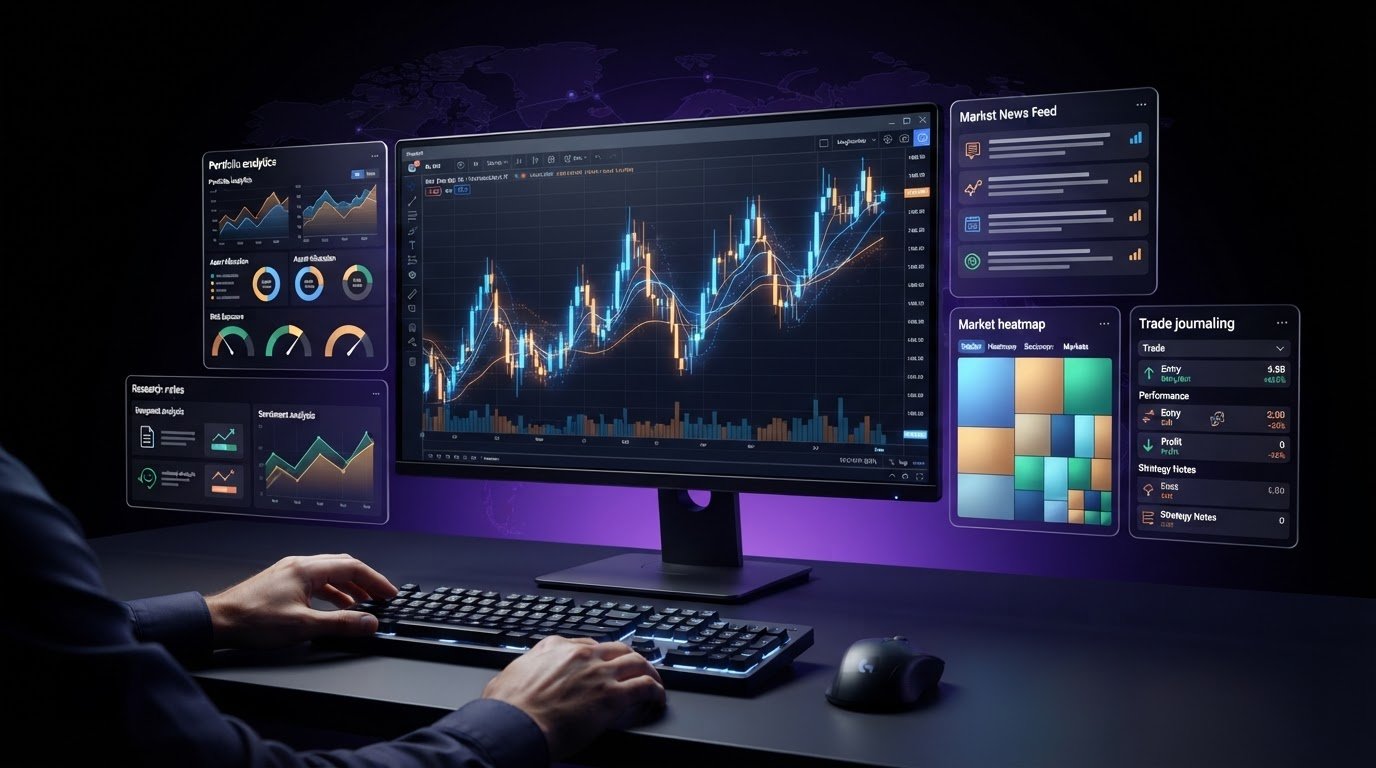
Discover the best tools to supplement TradingView Pro in 2026. Streamline your trading workflow with specialist portfolio, research, and analysis platforms.
The best addition to your primary charting setup may be a utility that does a single job exceptionally well. If your main platform already supports your analysis, another all-in-one dashboard can add more noise than value. The right tools to supplement tradingview pro fill a specific gap, whether that’s researching a setup, reviewing portfolio exposure, tracking market news, or recording decisions after a trade.
It’s easy to keep adding indicators, alerts, and platforms because each promises a sharper view of the market. But overlapping features can clutter your process, and unclear data or a poor fit with your routine can undermine it. The goal isn’t to collect more software. It’s to make each solution earn its place in your workflow.
This guide compares specialist solutions by purpose and workflow fit, and shows how to assess data quality, usability, and credibility before adding anything new. You’ll also see how Tyrian Trade, AI-assisted market intelligence, portfolio analytics, and transparent community discussion can offer complementary perspectives. Use them to support independent analysis, not as direct trading signals.
Key Takeaways
- Start with the workflow task you want to improve, such as research, portfolio review, or community context, rather than shopping from a generic tool checklist.
- Compare tools by their data sources, supporting evidence, overlap with your current setup, and learning curve.
- Before testing tools to supplement tradingview pro, write one observable success criterion so you can judge whether a tool earns its place.
- Use a short trial process to shortlist, test, review, and keep or remove each tool based on its actual contribution to your workflow.
- Explore Tyrian Trade’s marketplace and financial intelligence network for complementary tools and perspectives, without treating them as direct TradingView add-ons or trading signals.
Table of Contents
What TradingView Pro Does, and Where a Supplementary Tool May Help
Which Tool Categories Can Complement TradingView Pro?
How to Compare Supplementary Tools Without Paying for Overlap
How to Add a Tool to Your TradingView Pro Setup
Discover Complementary Market Tools Through Tyrian Trade
What TradingView Pro Does, and Where a Supplementary Tool May Help
TradingView Pro can serve as a central workspace for chart review and technical analysis, but charting is only one part of a trading workflow. Technical analysis uses price and other market data to examine possible trends and patterns. It doesn’t replace research into broader context, portfolio exposure, or discussion with other market participants. A supplementary trading tool handles a distinct task alongside your charting platform.
A useful addition expands what you can assess; a weak addition gives you another interface for seeing the same thing. That distinction matters. Tools to supplement tradingview pro should address a real task, not simply offer another set of screens, alerts, or visualizations. There’s no universal must-have checklist: a solo chart-focused trader and a group comparing market ideas may have very different needs.
Start with your TradingView Pro workflow
Trace a typical review from start to finish: you notice an asset on a watchlist, open its chart, assess the setup, then record a decision or question. Mark each step that takes place outside TradingView. Do you open another source for company or market context, check portfolio exposure in a separate view, or share notes with collaborators? A repeated delay or missing piece of context may reveal a bottleneck. A newly released dashboard, by itself, doesn’t.
Separate the jobs before comparing software. Charting and technical analysis help you inspect price behavior, indicators, and patterns. Research adds context beyond the chart. Portfolio oversight helps you consider exposure across holdings, while collaboration gives you a place to compare perspectives or preserve discussion. These tasks can inform one another, but they answer different questions. A research tool should add useful context to a chart review, not just redraw the same price series in a new layout.
Spot a gap without assuming a feature is missing
First, verify what your current TradingView plan includes by checking TradingView’s live feature documentation. Plan entitlements can change, so don’t base a purchase on an old comparison or an assumption about what Pro lacks. Then describe the need in practical terms: perhaps you want portfolio context alongside chart analysis, independent research into a market move, or a shared space to compare interpretations.
Write down the friction you’re trying to remove. “I lose track of why an asset made my watchlist,” for instance, is more actionable than “I need better tools.” Then ask whether an existing feature, a clearer routine, or a specialist product could solve it. A financial software marketplace can help you explore options by task, while AI-assisted market intelligence, portfolio analytics, and community discussion can contribute additional perspectives. Treat those inputs as material for your own evaluation, not predictions or instructions to trade. That keeps the workflow focused on evidence and judgment rather than tool-generated certainty.
Which Tool Categories Can Complement TradingView Pro?
Start with the job, not the brand name. Tools to supplement tradingview pro can bring in information a chart doesn’t show, help you review a portfolio, or make it easier to compare ideas with other people. A useful supplement has a distinct, testable purpose: it helps answer a specific question your existing process leaves open.
Think in workflow categories rather than a long list of apps:
- Research and market context: News, company information, and macroeconomic updates can help you investigate what may be behind a price move.
- Portfolio analytics: Portfolio views can help you review exposure across holdings and reflect on performance over time. They describe a portfolio; they don’t predict what it will do next.
- Risk review: Exposure summaries and scenario-planning tools can help you examine assumptions and consider how different market conditions could affect a position.
- Community intelligence: Discussion can surface alternative interpretations and questions worth researching. A confident post isn’t the same as verified evidence or an instruction to trade.
Research, data, and portfolio context
A chart shows how price has moved. Research tools can add context, such as a company update or broader economic development, for you to investigate alongside that chart. Financial analysts also work with financial data and prepare analyses and reports, as described by the U.S. Bureau of Labor Statistics in its overview of financial analysts and their tools. For traders, the practical point is to track where information comes from and how it informs your view.
Portfolio analytics offer another lens: they can help you see concentration, exposure, or performance across holdings rather than reviewing each chart in isolation. These measures support review, not a forecast. AI-assisted research can help organize or summarize information, too. Explore how AI-powered trading tools fit into market research, but verify important claims against their original sources and apply your own judgment before drawing conclusions.
Risk review, AI assistance, and community insight
Risk review makes your assumptions visible. A scenario worksheet, for example, could help you note what might change your thesis, how a position contributes to overall exposure, and what conditions would prompt you to reassess. It won’t remove uncertainty, but it can make your reasoning easier to inspect and revisit.
AI can help summarize documents or organize questions for further research. Treat its output as a starting point, not an authority: check the underlying sources, look for missing context, and decide what the information means for your analysis. The same discipline applies to community discussion. A transparent network can help you encounter different perspectives, but participation alone doesn’t verify a claim. Tyrian Trade’s financial tools marketplace and community can help you explore tools and market perspectives by workflow need, without implying direct integration with TradingView.
How to Compare Supplementary Tools Without Paying for Overlap
A polished interface isn’t proof that a tool adds value. Compare candidates against the task you want to improve, then check whether their information is transparent, useful, and easy to bring into your routine. The right choice depends on your strategy, the markets you follow, and the decisions you need to review. There’s no universally best supplement.
Use this comparison framework for each candidate:
Workflow task: What specific job should the tool handle, such as organizing research, reviewing exposure, or testing a strategy?
Data sources: Where does its information come from, and what assets or markets does it cover?
Evidence: Does it explain its methodology and show how its output is produced?
Overlap: Does it add independent context, or reproduce a chart, alert, or view you already use?
Learning curve: Can you understand the output and use it consistently without adding friction?
Check practical details that affect trust and usability. Look for timestamps and update frequency, especially when the tool presents time-sensitive market information. Review export options if you need to carry findings into notes or a review process. Read privacy terms to understand how information you enter is handled. If the tool’s data coverage or methodology is unclear, treat that uncertainty as part of the comparison, not a minor detail.
Compare purpose, evidence, and data quality
Ask the provider to explain the problem the tool solves and what output it produces. Check data provenance, timestamps, market coverage, and methodology disclosures. For a backtesting feature, distinguish historical results from live performance: results generated from past data don’t establish how a strategy will perform in future conditions. Treat bold claims as prompts to inspect the evidence, not proof on their own.
Check workflow fit and feature overlap
Map the candidate against your current TradingView setup. If it offers another chart view, ask whether that view changes your analysis or simply makes you switch screens. Consider whether you can access it on the devices you use and move its findings into your existing notes or review habits. For a closer look at evaluating AI outputs, explore this guide to AI market analysis tools.
Before adopting any tools to supplement tradingview pro, define what a useful trial would demonstrate. For example, you might want to see whether research is easier to trace to its sources or whether portfolio reviews become more consistent. Explore a financial tools marketplace by the workflow task you want to address, then compare each option using the same criteria. That keeps the decision grounded in fit, evidence, and purpose rather than feature count.
How to Add a Tool to Your TradingView Pro Setup
A tool earns its place by improving a defined part of your routine, not by adding another screen to check. Before adding one, decide what you want to change and how you’ll tell whether it helped. Test its output away from live decisions first, using watchlists or a simulated workflow. Software can support analysis, but it can’t remove market risk.
Use this process to keep the trial focused:
- Define the gap. Name one recurring task or friction point, such as organizing research before chart review. Avoid starting with a broad goal like “make better decisions.”
- Shortlist with a criterion. Compare candidates that address that task. Before testing, write one observable success criterion, such as “I can find and review the source behind each research note in my normal process.”
- Test one tool at a time. Use a watchlist or simulated routine first. Keep your usual review steps, and don’t rely on unfamiliar outputs for live decisions while you’re still learning how they work.
- Review the evidence. Compare your experience before and during the trial. Note whether the tool saved time, made your review clearer, surfaced data discrepancies, or introduced recurring friction.
- Keep or remove it. Keep the tool only if it meets your criterion and fits naturally into your process. If the benefit is unclear or another tool already does the same job, remove it and reassess the gap.
Run a focused trial with a clear use case
One task, one tool, one consistent review process. That’s the clearest way to see whether a new product contributes anything beyond novelty. Use the same watchlist or type of review before and during the trial, then record observations as they happen. Track time saved, decision clarity, discrepancies between data sources, and friction such as extra steps or confusing outputs. A short, structured log makes the keep-or-remove decision less dependent on first impressions.
Keep the stack lean and review it regularly
Even a useful tool can become unnecessary if your workflow changes or its features duplicate another platform. Revisit your stack periodically: check whether each product still serves a distinct purpose, whether you use it consistently, and whether its output is worth the attention it demands. Before continued use, review account permissions, recurring charges, and how the tool handles data you provide. A lean setup is easier to understand and maintain.
As you explore tools to supplement tradingview pro, Tyrian Trade’s financial tools marketplace can help you browse options by workflow need. Explore the financial tools marketplace to discover tools and keep your search anchored to the task you want to improve.
Discover Complementary Market Tools Through Tyrian Trade
TradingView can remain your charting workspace while other resources support different parts of your research and review. Tyrian Trade is a financial tools marketplace and financial intelligence network, not a TradingView add-on. It doesn’t claim direct integration or compatibility with TradingView. Instead, start with the task you want to improve, then explore software and perspectives that may complement your existing process.
A task-first approach keeps your search grounded. Rather than browsing because a tool is popular or trending, define the job: organize market research, review portfolio exposure, or compare ideas with other participants. Then assess whether each option has a clear purpose and useful evidence behind its outputs. Tools to supplement tradingview pro should support independent analysis, not replace it.
Explore tools around a real trading workflow
Tyrian Trade’s marketplace helps traders discover financial software and trading utilities in relation to a workflow need. If you want more context around a chart review, look for research-oriented tools. If you’re reviewing positions across a portfolio, explore analytics that address exposure or performance. The goal isn’t to choose the most visible option. It’s to find a relevant tool, understand what it does, and evaluate the evidence it provides.
Community adds another layer to discovery. Transparent participation can make it easier to encounter different perspectives, while each idea still needs independent assessment. The shift toward more accountable social trading is explored in the evolution of social trading platforms, including why context and transparency matter more than simply copying another participant.
Add broader analysis and community context
Tyrian Trade brings together AI-assisted market intelligence, portfolio analytics, a professional trading terminal, and social features. These can offer additional ways to organize information, review holdings, or follow discussion across stocks, crypto, and forex. Treat AI analysis as an aid for examining information, not a prediction. Check important claims against their sources, and use portfolio analytics as context for review rather than a forecast of future performance.
Verified participation and community discussion can surface questions or interpretations you might not have considered. They don’t turn a post into verified instructions to trade, and they don’t remove uncertainty. Keep decisions with yourself: use tools and discussion to inform your own research, and be clear about what evidence supports your view. That’s how a wider network can add context without becoming a substitute for judgment.
If you’re ready to explore options by workflow need, Explore Tyrian Trade’s financial tools and market intelligence . Browse with a specific task in mind, compare each tool’s purpose and evidence, and keep only what contributes meaningfully to your process.
Make Your Next Tool Decision Count
Your trading workflow will change as your priorities and the markets you follow shift. Treat your tool stack as something to review, not a collection to keep expanding. Before your next addition, choose one task you want to improve and decide what evidence would show that a new resource genuinely helps. That habit keeps your attention on a better process rather than a bigger dashboard.
As you explore tools to supplement tradingview pro, Tyrian Trade offers a place to discover financial software and trading utilities, alongside AI-assisted market intelligence, portfolio analytics, and verified community discussion across stocks, crypto, and forex. Use those resources to broaden your research and compare perspectives, while keeping your own judgment at the center.
Explore Tyrian Trade’s financial tools and market intelligence to find tools and perspectives for a specific workflow need. Start with one meaningful gap, compare options by purpose and evidence, and keep only what contributes to your process.
Frequently Asked Questions
Can you use third-party tools alongside TradingView Pro?
Yes. You can use separate tools to record trade notes, monitor market news, or review portfolio exposure while keeping TradingView Pro in your workflow. For example, check a news source before opening a chart, then log your reasoning in a journal afterward. These tools don’t have to connect directly to be useful; you can use them independently and compare their information manually.
What tools are most useful with TradingView Pro?
The most useful options depend on what your current routine doesn’t cover. A news service may help you investigate what’s behind a price move, while a journal can help you review how your decisions matched your original plan. Portfolio analytics can add a view across holdings rather than one chart at a time. Start with the task you want to improve, then choose the category that serves it.
Do supplementary tools integrate directly with TradingView?
Some tools may offer integrations, while others work as separate platforms; availability depends on the specific product and its current features. Don’t assume a tool can sync watchlists, import charts, or transfer alerts just because it serves a related purpose. Check the tool’s documentation for the exact connection it supports. If there’s no integration, consider whether a manual workflow, such as copying a note or source link, is practical.
Are AI trading tools reliable enough to use with TradingView Pro?
AI tools can help organize information, summarize material, or suggest questions for further research, but their output needs independent review. If a summary describes a company announcement, for example, open the original announcement and check that the context and date match. AI-generated analysis can miss details or present errors confidently. Use it as a research aid, not as a substitute for verifying sources or making your own decisions.
How do I know if a trading tool duplicates TradingView Pro?
Compare the tool’s output with what you already use TradingView Pro to do. If both present the same chart, indicator, or alert and the second view doesn’t change your analysis, the features may overlap. Look for a distinct output instead, such as a structured record of your decisions or a portfolio-level report. A short side-by-side test on the same asset can show whether the extra view adds usable context.
Can community trading tools provide guaranteed trading signals?
No community discussion can guarantee a market outcome, and social posts shouldn’t be treated as certain instructions to trade. A participant may share an opinion, analysis, or strategy, but you’ll need to assess its evidence, assumptions, and relevance to your own situation. Treat popularity or confidence as separate from verification. Tyrian Trade supports community engagement and market discussion, but it doesn’t provide guaranteed profits or trading signals.
How many supplementary tools should a trader use?
There’s no ideal number for every trader. Use only tools that have distinct jobs and fit comfortably into your routine. A chart-focused trader might need one separate research source, while someone reviewing decisions may value a dedicated journal instead. If you can’t explain what a tool contributes or you rarely consult it, reconsider keeping it. A focused setup is easier to review than a stack built by habit.